

Dynamic Range Photography separates average images from striking ones. Your camera can only capture a limited contrast range between bright highlights and dark shadows, so proper technique is essential for preserving detail. Many photographers struggle with blown skies or crushed shadows, especially in scenes like sunsets where the sky looks ideal while the foreground turns black. These issues occur because the sensor cannot record the full contrast of high-dynamic-range scenes.
What Dynamic Range Means for Your Photos
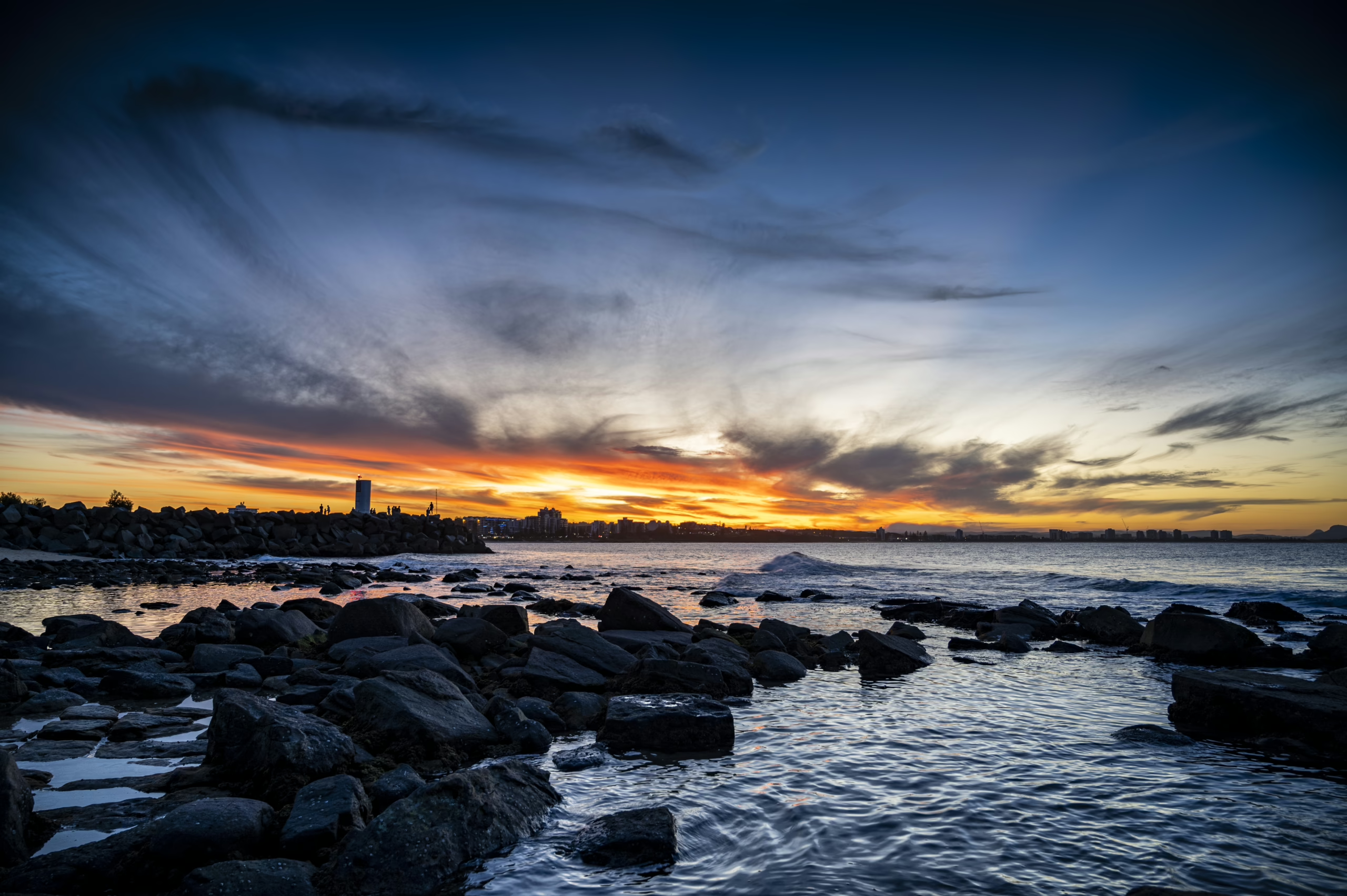
Dynamic range measures the distance between the darkest and brightest tones your camera can record in one frame. Modern cameras usually capture 13 to 15 stops of range, and each stop doubles or halves the amount of light recorded. More stops give you more flexibility. Imagine a room lit by bright sunlight through a window. Your eyes see everything clearly, but cameras struggle. Exposing for the highlights loses shadow detail, while exposing for shadows blows the highlights. Since human vision sees roughly 20 stops of range, cameras still lag behind what your eyes perceive.
Different sensors perform differently. Full-frame sensors usually outperform crop sensors. New mirrorless models often deliver better range than older DSLRs. Even so, improved technique always matters more than expensive gear. Your sensor interprets the scene in one instant, while your eyes constantly adapt as you scan the environment.
How Your Camera Sensor Affects What You Capture
Larger sensors collect more light per pixel, which improves shadow noise and helps protect highlights. However, smaller sensors still perform well with the right approach. Older cameras capture less dynamic range, and a 2020 model may record 12 stops compared to 14 or 15 stops in newer 2025 bodies. Sensor architecture and improved processors contribute to these gains.
Your ISO setting also affects range. Base ISO delivers the maximum dynamic range. Higher ISO values lift shadow noise and reduce highlight headroom. At ISO 100, you might have 14 stops available, while ISO 6400 may give only 9 or 10. Bit depth matters too. Shooting in 14-bit RAW provides smoother tonal transitions than 12-bit, improving recovery in difficult scenes. Sony sensors currently lead performance, and many full-frame options from Sony, Canon, and Nikon reach about 15 stops at base ISO.
Reading Your Histogram Like a Pro
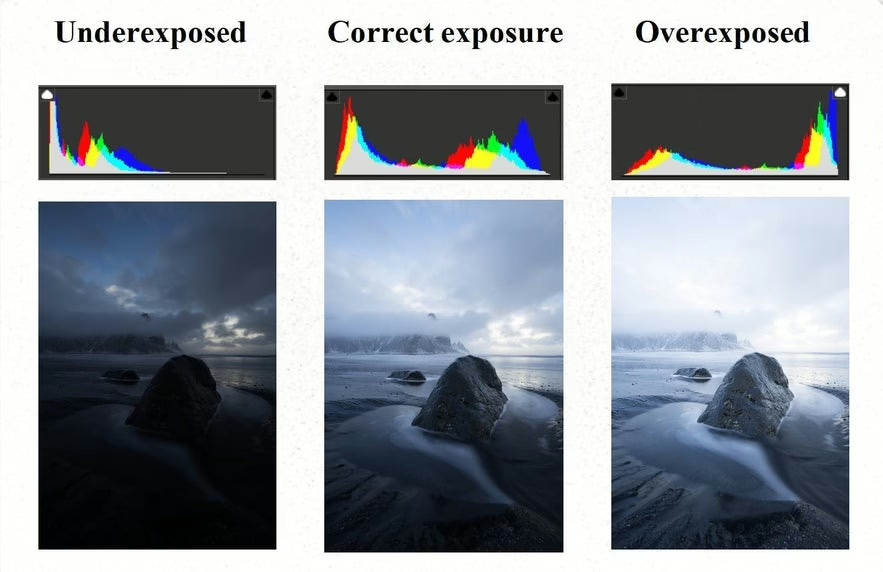
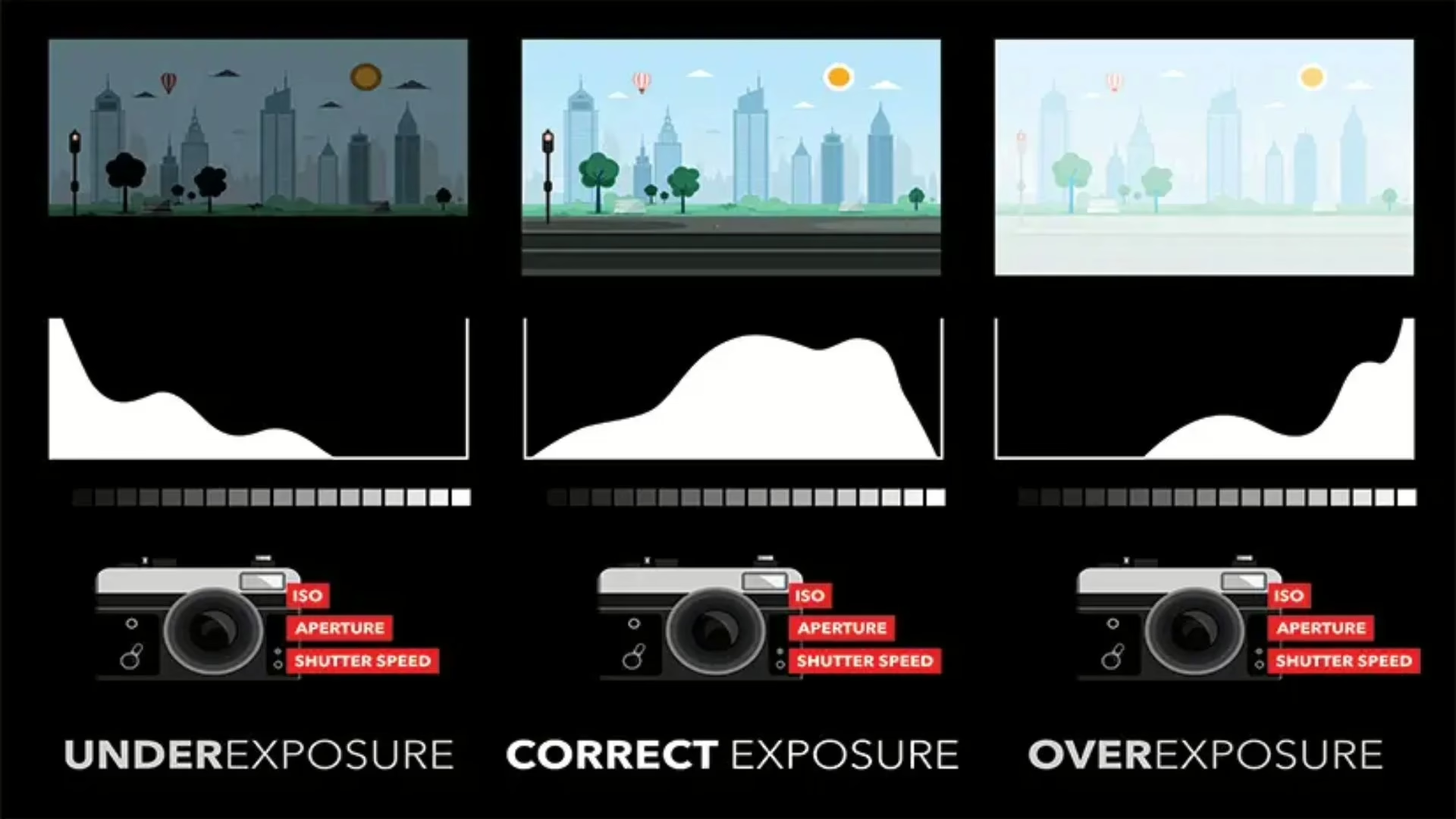
The histogram shows how tones spread across your exposure. Shadows appear on the left, midtones in the middle, and highlights on the right. If the graph presses against either edge, you lose detail. Many photographers ignore the histogram and rely on LCD brightness, which can be misleading. Use the histogram for accurate exposure data.
Expose to the right carefully. Push the histogram toward highlights without clipping, which helps you capture cleaner shadows. Highlight warning indicators, often called “blinkies,” flash where detail is blown out. RAW files preserve far more tonal detail than JPEGs, making RAW essential for dynamic range work.
Using Exposure Bracketing When One Shot Isn’t Enough
Exposure bracketing captures multiple frames at different exposures. Take one for shadows, one for midtones, and one for highlights. A common bracket is –2, 0, and +2 stops. This can cover a six-stop range, far more than a single exposure. Use a tripod for best alignment. Aperture priority works well because the camera only varies shutter speed, ensuring consistent depth of field.
Bracketing becomes tricky with moving subjects because ghosting may appear when merging frames. Modern software includes helpful de-ghosting, but single exposures usually work better for scenes with motion. Manual mode gives complete control because auto exposure may shift settings between frames.
Dealing With Harsh Light and High-Contrast Scenes
Midday sun produces extreme contrast. Shadow areas turn very dark, while highlights become extremely bright. Fill flash reduces contrast by lifting shadows without overpowering the scene. Reflectors bounce light into shadows, and diffusers soften direct light. Cloudy days naturally compress contrast, which is why overcast lighting is ideal for photography.
Golden hour provides the best natural lighting because shadows soften and highlights fall within your sensor’s range. Shoot in RAW during high-contrast conditions to maximize recovery options in post-processing.
Post-Processing to Get More From Your Files
Shadow and highlight sliders let you correct specific tonal areas without affecting the entire image. Tone curves offer even more precise control. S-curves add contrast while maintaining detail in highlights and shadows. Local adjustments help maintain a natural look by isolating changes to small areas like the sky or foreground.
Luminosity masks separate tones based on brightness, allowing selective adjustments. Blending bracketed exposures manually in Photoshop yields natural results because you choose which parts of each frame to use. Avoid heavy processing, which causes unnatural halos, odd colors, and overdone HDR effects. Subtlety preserves realism.
Camera Settings That Protect Your Dynamic Range
Use base ISO whenever possible. Lower artificial ISO settings may reduce true dynamic range. Aperture priority maintains depth of field while the camera adjusts shutter speed. Matrix or evaluative metering reads the whole scene and works well for most situations. Spot metering is useful for exposing for a specific subject, but other areas may clip.
Manual mode gives consistent exposures across multiple frames, especially useful for bracketing. Highlight warnings help you see blown areas instantly. Features like Nikon’s Active D-Lighting and Canon’s Auto Lighting Optimizer lift shadows and compress highlights in-camera, but many photographers turn them off when shooting RAW to maintain full control.
Mistakes That Wreck Your Dynamic Range
Avoid shooting only in JPEG, because JPEG compresses tones and cannot recover lost information. Overprocessing creates halos, strange colors, and flat lighting. Misusing auto-exposure lock causes exposure inconsistencies, so learn how your camera handles AEL. Planning around weather helps because overcast days produce naturally balanced scenes. In-camera HDR offers limited control and often reduces quality. Always check your histogram to prevent surprises later.
Practice Exercises to Build Your Skills
Photograph your living room with a bright window to practice handling extreme contrast. Try different exposures and blend bracket sequences. Shoot the same landscape at different times of day to learn how sunlight affects contrast. Practice exposing to the right by adjusting based on histogram feedback. Create comparison files using single exposures and bracketed blends to understand when HDR is necessary.
Study work from professionals to see how they balance tones. Challenge yourself with high-contrast artificial scenes such as night cityscapes or concerts. These situations force you to understand your camera’s limits and test new techniques.
Putting These Dynamic Range Tips Into Action
Mastering Dynamic Range Photography changes how you approach any scene with contrast challenges. Always start at base ISO and shoot RAW. Check your histogram often, bracket when needed, and use reflectors or fill flash in harsh light. Learn editing tools like curves, masks, and local adjustments to refine tonal balance. Consistent practice builds confidence, and soon you’ll capture images with rich detail in both shadows and highlights.